Getting Started
Quick Start Guide
From signup to your first spending insight in about 5 minutes. Here's everything you need to get started.
Create your account
Head to the signup page and create an account with your email. Your 30-day free trial starts immediately—no credit card required.
After signup, you'll pick a few categories that match your spending habits. Don't overthink this—you can always add more later.
Download a statement from your bank
Log into your bank's website and export your transactions as a CSV file. Most banks have this option under "Statements" or "Transaction History."
💡 Pro tip
Export 3 months of history if you can. More data means better habit detection and more useful insights.
Import your transactions
On the Import page, drag and drop your file (or click to browse). You'll need to tell us which columns contain the date, amount, and description—just click each dropdown and pick the right one.
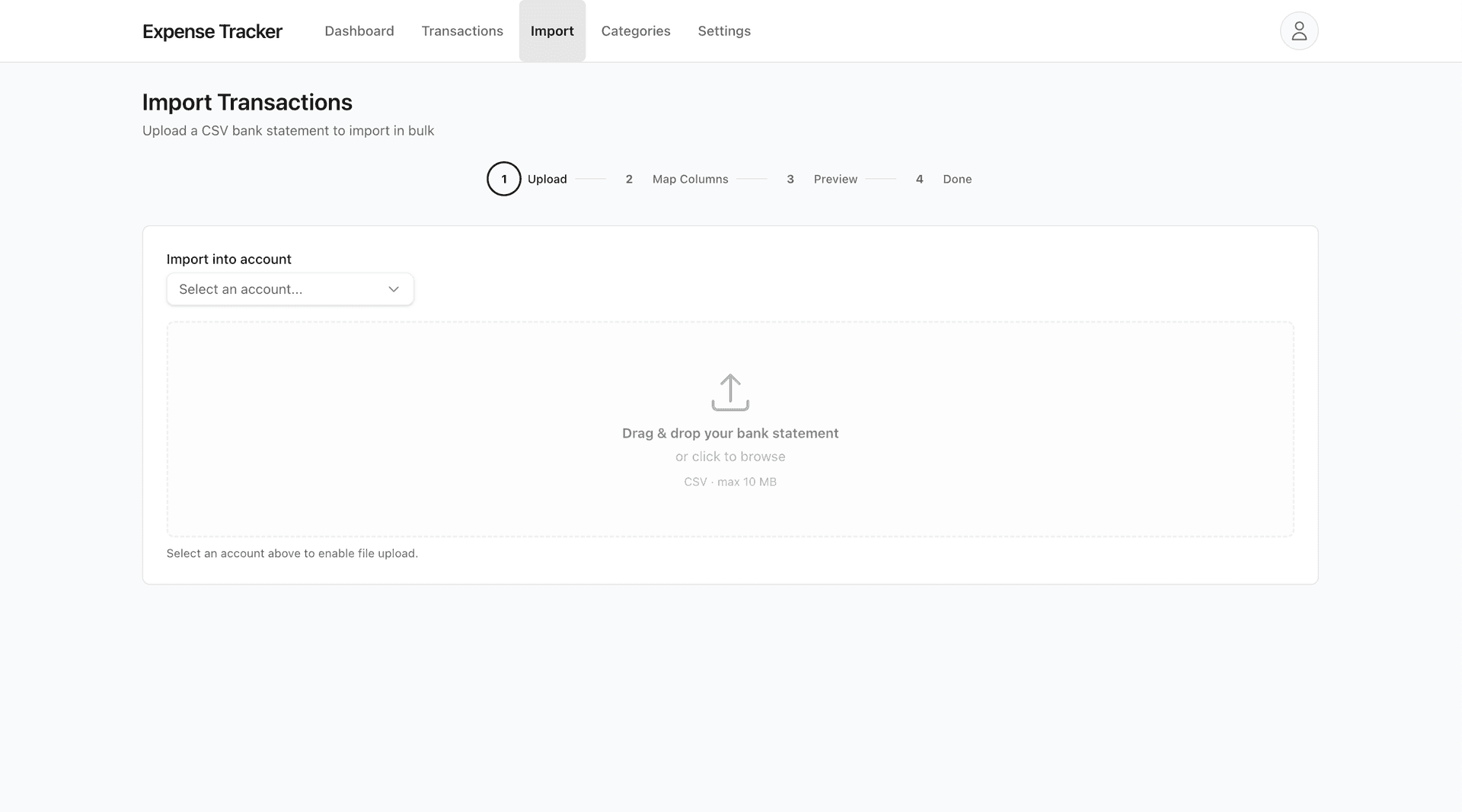
Don't worry if your bank's format looks different. We support files with or without headers, single amount columns, and separate debit/credit columns.
Review and categorize
Before anything hits your account, you'll see a preview of every transaction. We'll suggest categories based on the description—Starbucks goes to Food, Uber to Transportation, and so on.
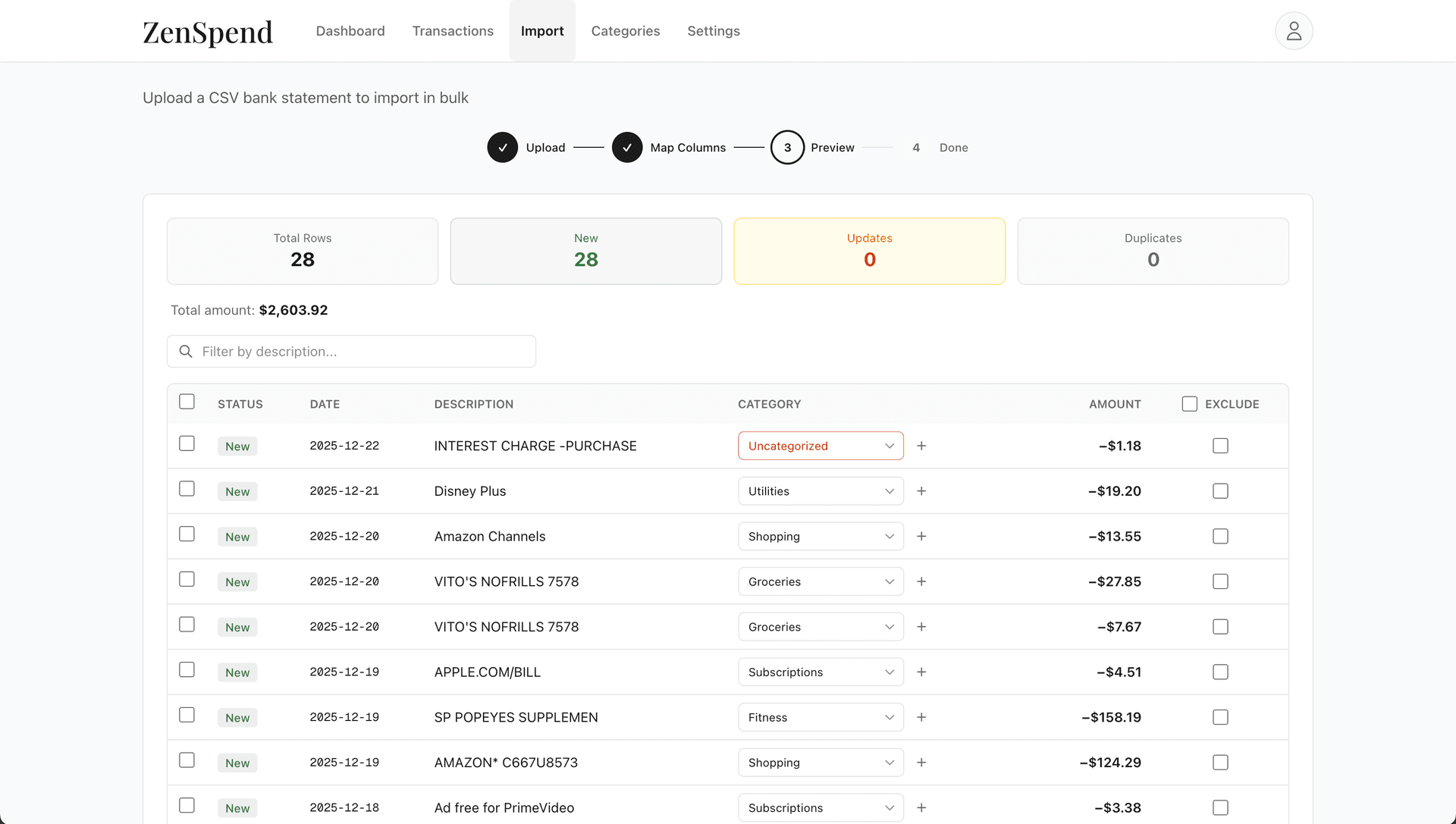
Fix any that look wrong, then hit Import. If you want the same merchant categorized automatically next time, create a rule (we'll save it for you).

Good to know
Already imported this file? We detect duplicates automatically. You won't end up with the same transaction twice.
See your spending patterns
Head to your dashboard. You'll see your spending broken down by category, a chart showing trends over time, and—here's the interesting part—your recurring habits.
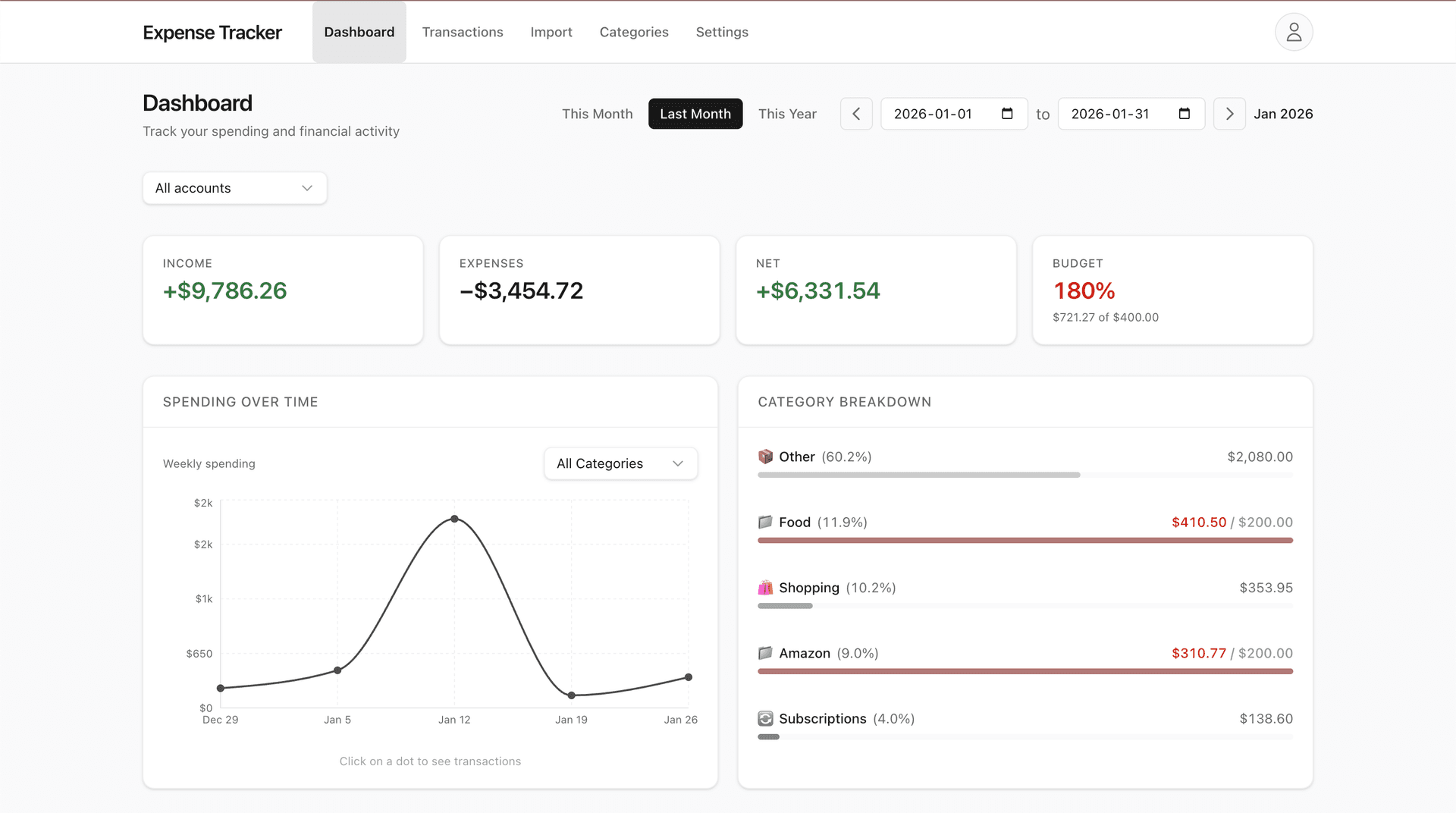
Scroll down to "Recurring Spending Habits" to see merchants you visit regularly. Click any habit to see what that spending could become if invested over 5, 10, or 20 years.
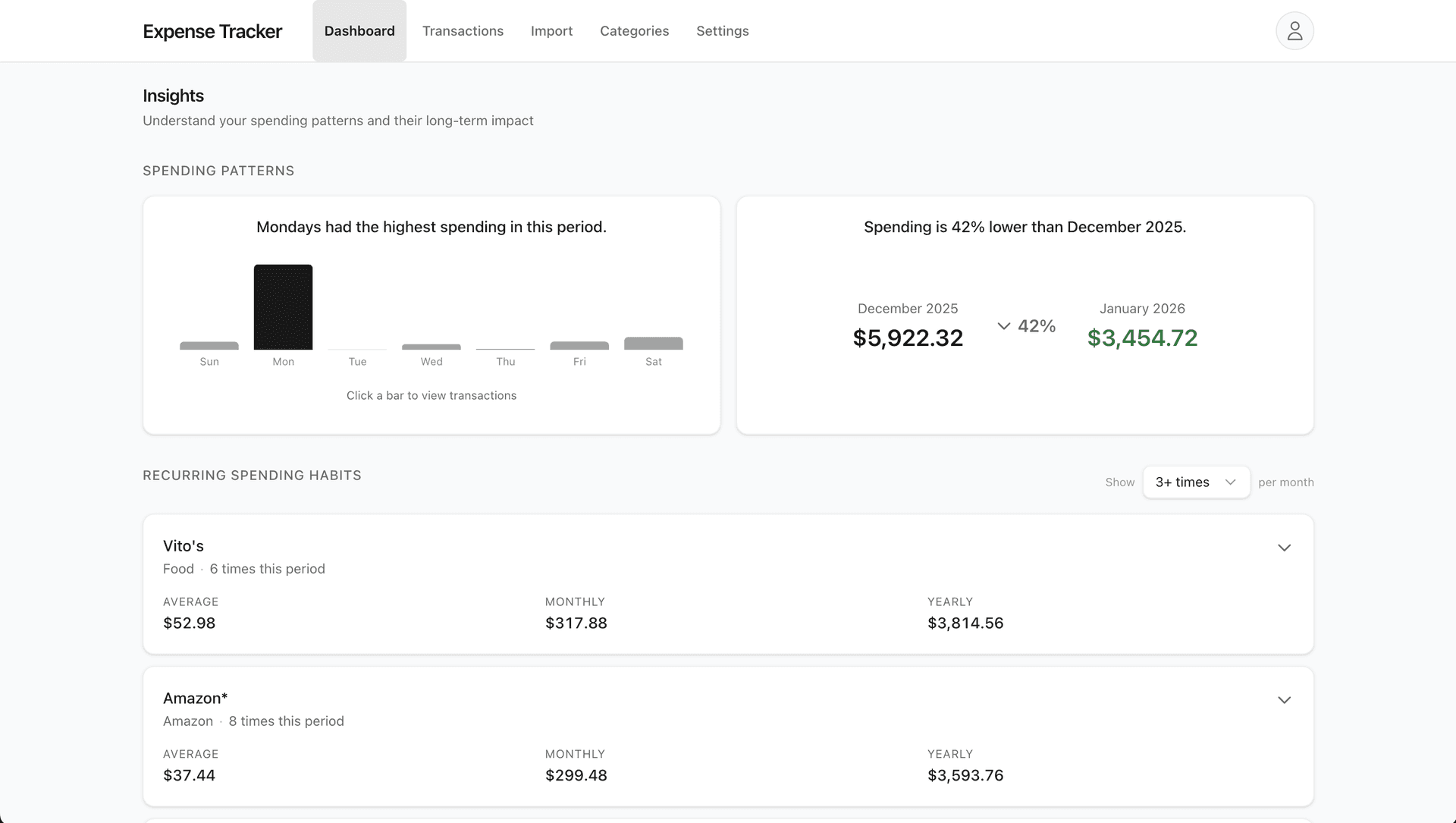
That's it. No judgment, no guilt—just clear numbers to help you decide what matters.